Exercise completely
serenity.
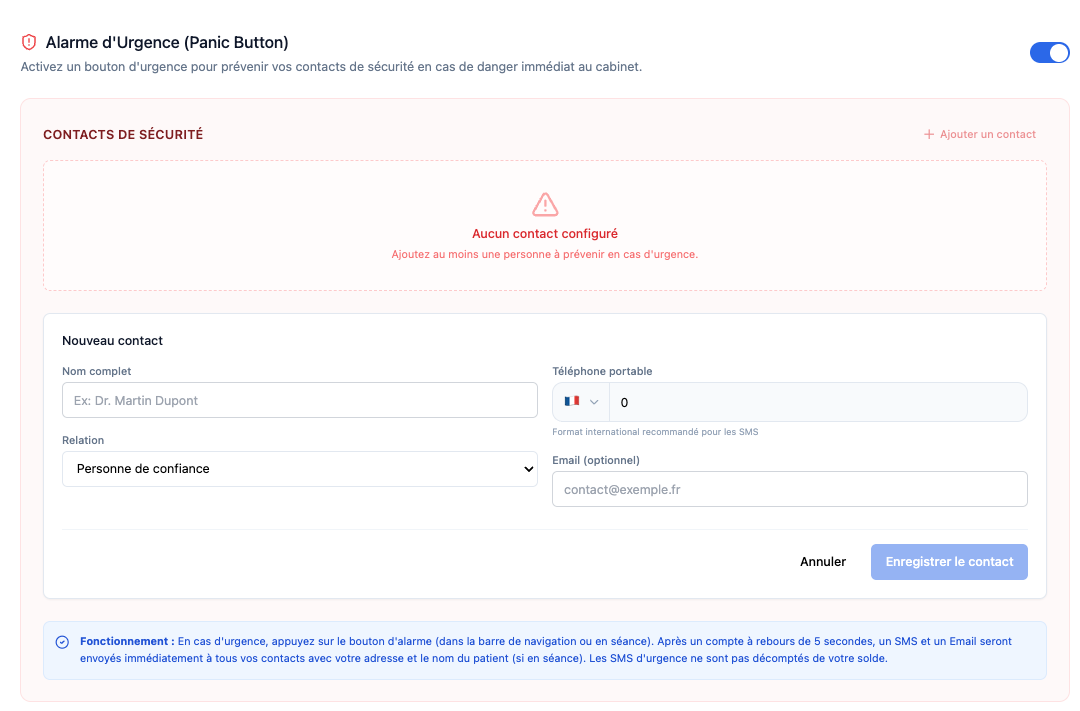
Kooplia's silent alert system allows you to notify your security contacts instantly and discreetly in the event of danger in the office.
Overview of the interface in French.
How it works
Configure your contacts
Add relatives, colleagues or security services to notify in the event of an emergency. Define their role (doctor, security, partner, etc.).
Activate alert
In case of danger, trigger the silent alarm from your dashboard or session screen. A 5s countdown allows you to cancel in the event of an error.
Immediate notification
Your contacts instantly receive a priority SMS and an email containing your location and the context of the alert.
Usage scenarios
The panic button is designed to cover various critical situations that may arise in your practice.
Patient Aggression
If a patient shows signs of uncontrollable physical or verbal aggression, discreetly notify your colleagues or security without escalating the situation.
Domestic Violence
During couples therapy, if the situation escalates and the physical safety of one of the partners (or yours) is threatened.
Trespass
If an unauthorized person enters your office or waiting room and refuses to leave.
Reliability & Protection
We use priority SMS gateways to guarantee the immediate deliverability of your alerts, even in the event of a saturated network.
Priority SMS
High deliverability route to ensure reception.
Geolocation
Inclusion of your office address in the alert.
Discreet Button
Accessible in 1 click without alerting the patient.